After a house fire, the insurer asks for a list of everything you lost, and you have to write it from memory. The template I opened from the top results for "total loss inventory list" is one blank English spreadsheet, sorted by category rather than by room, with nothing to help you remember. AllKeep Inventory now has a free page for it in six languages, with no account: inventory.allkeep.org/en/total-loss-inventory.
Tap what you had
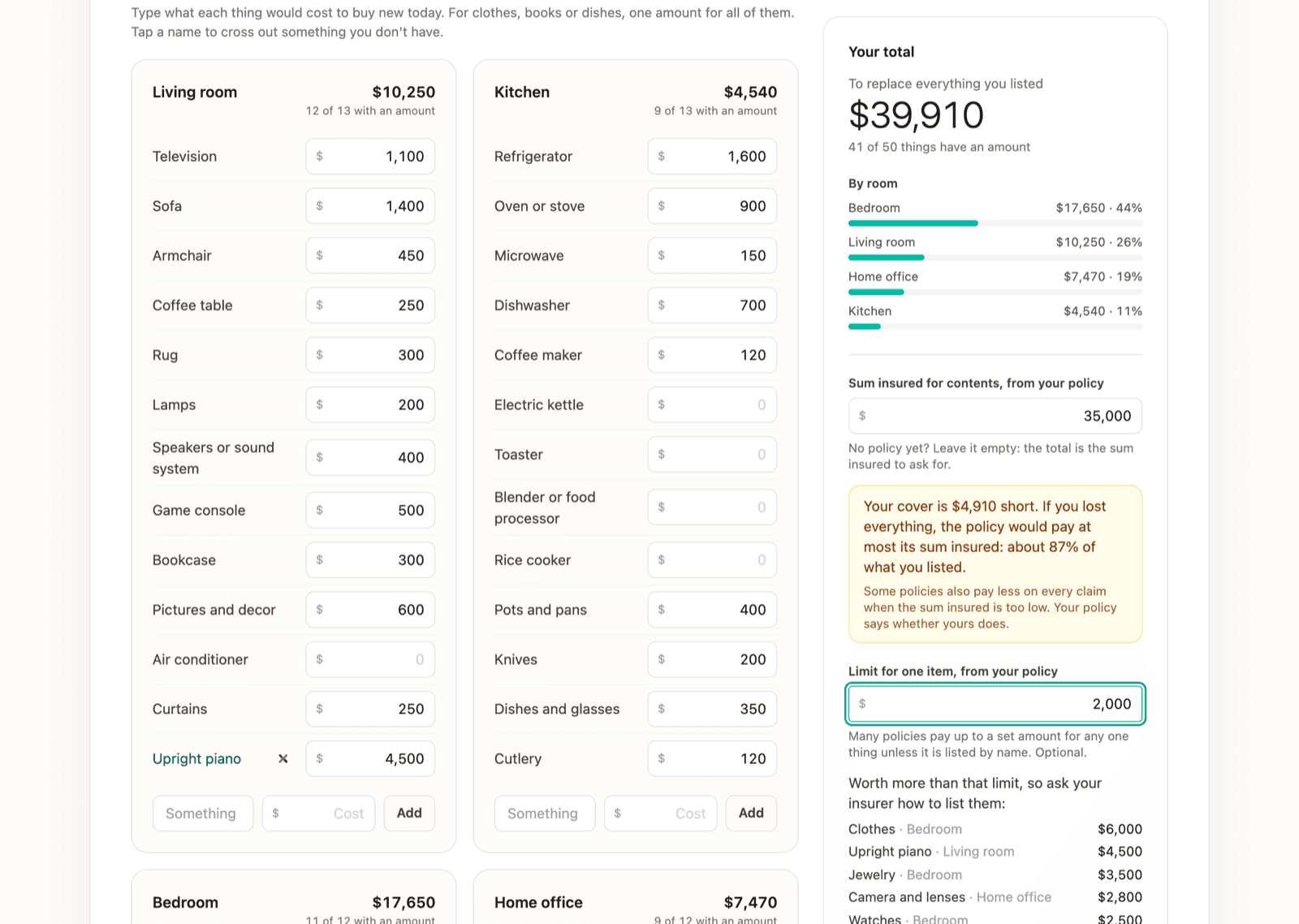
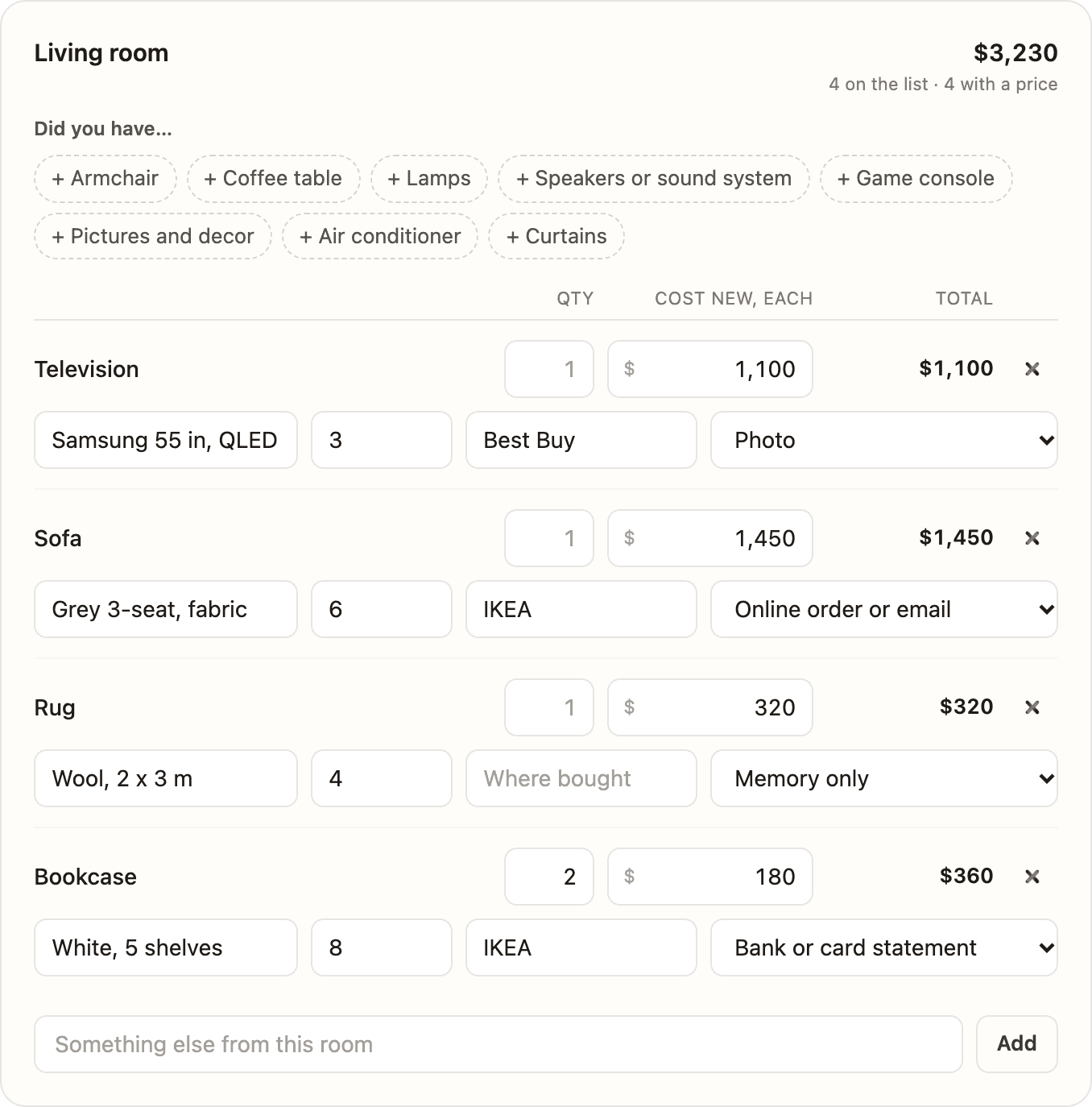
Each room shows the things most homes have in it. Tap the ones you had, then fill in what you know: how many, brand and model, age, what one costs new today, where you bought it and what proves it (a photo, a receipt, an online order, a line on a statement, or only your memory). The page multiplies by quantity and adds up each room.
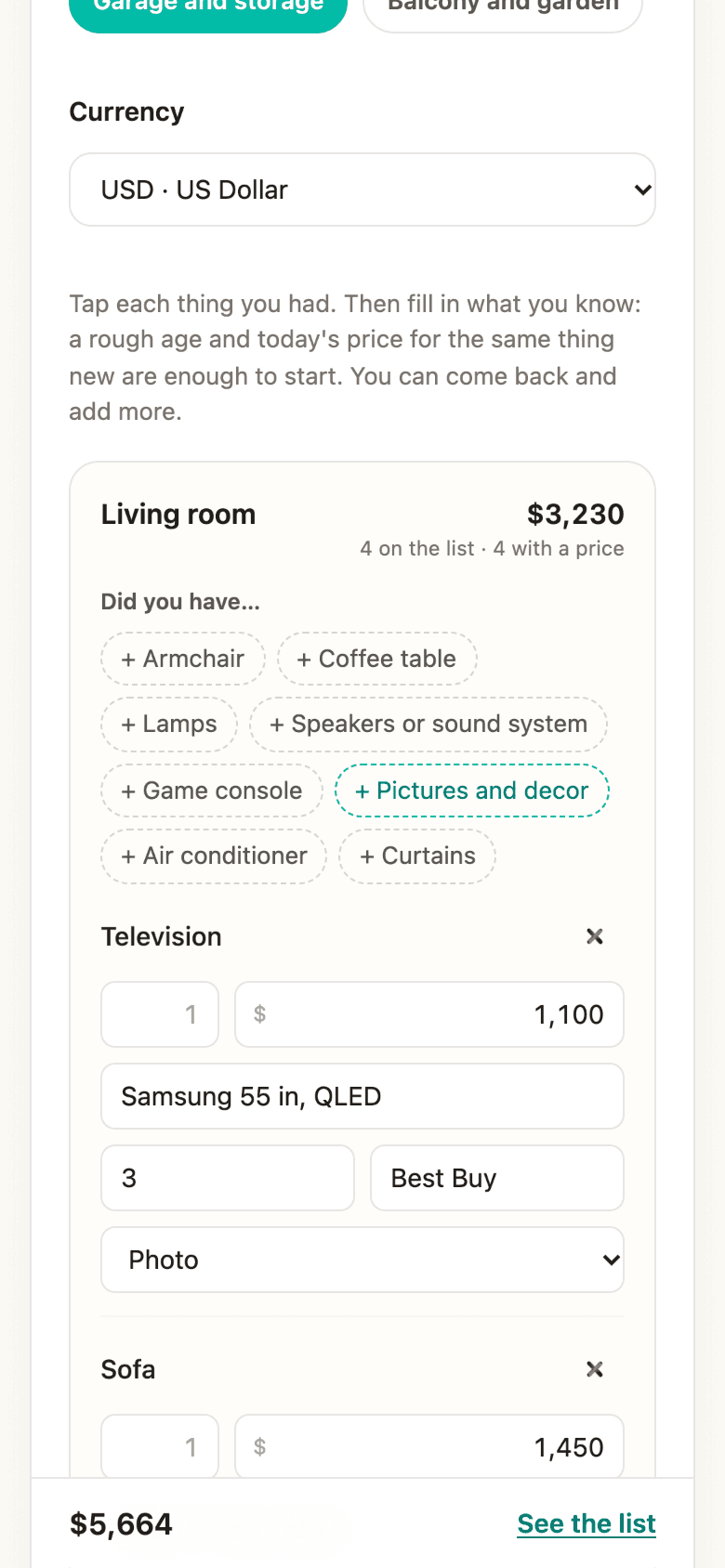
On a phone, each thing's fields stack under its name.
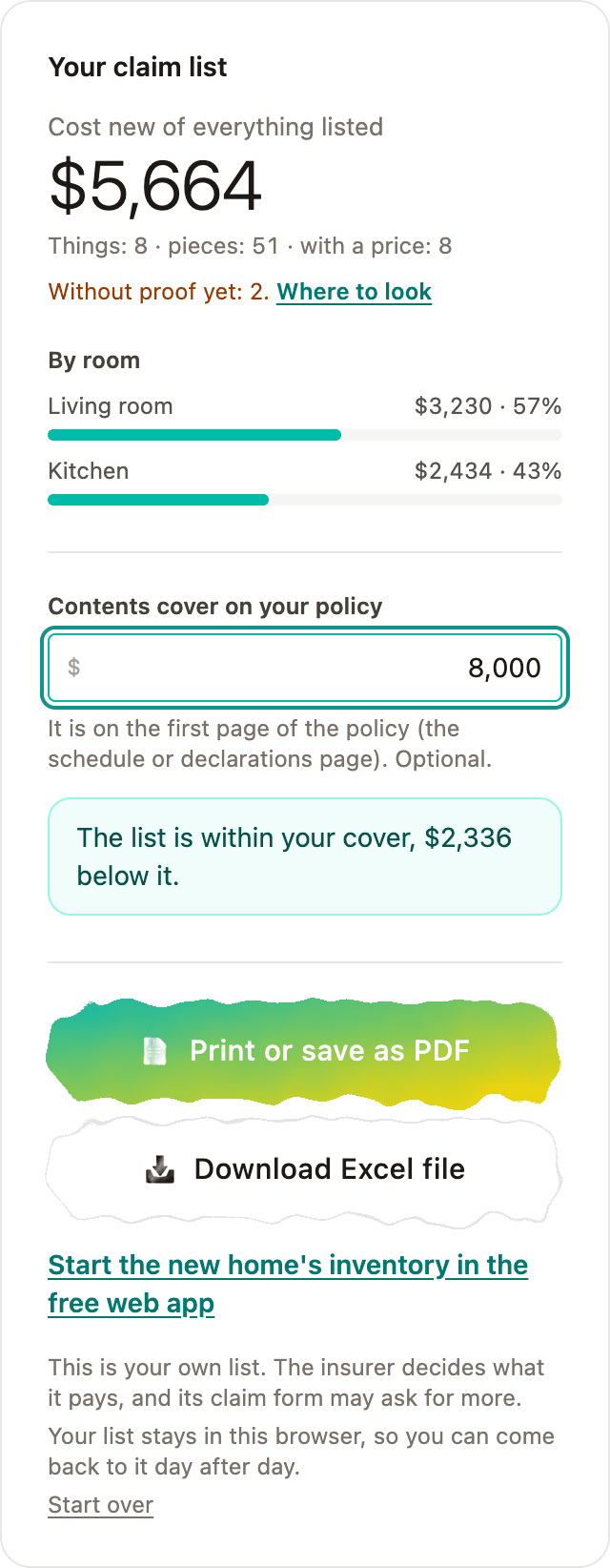
See what is still missing
The total shows how many things have no proof yet, with a link to where to look: phone photos and backups, family's photos, online order history, email receipts and bank statements. Type your policy's contents cover and the page compares it with the list.
Print it or keep it
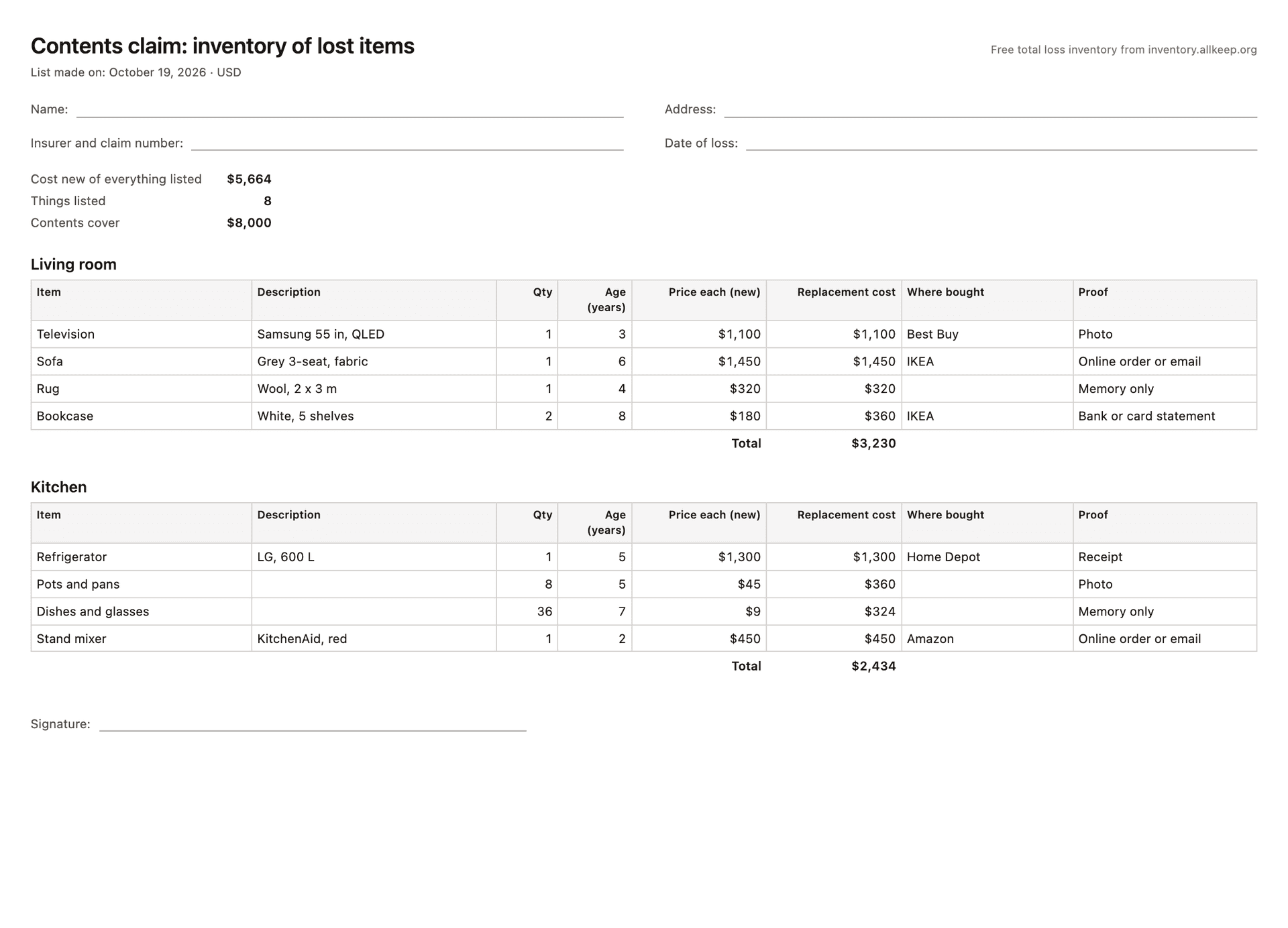
The printout has the columns claim forms ask for, and lines for your name, the claim number and the date of loss.
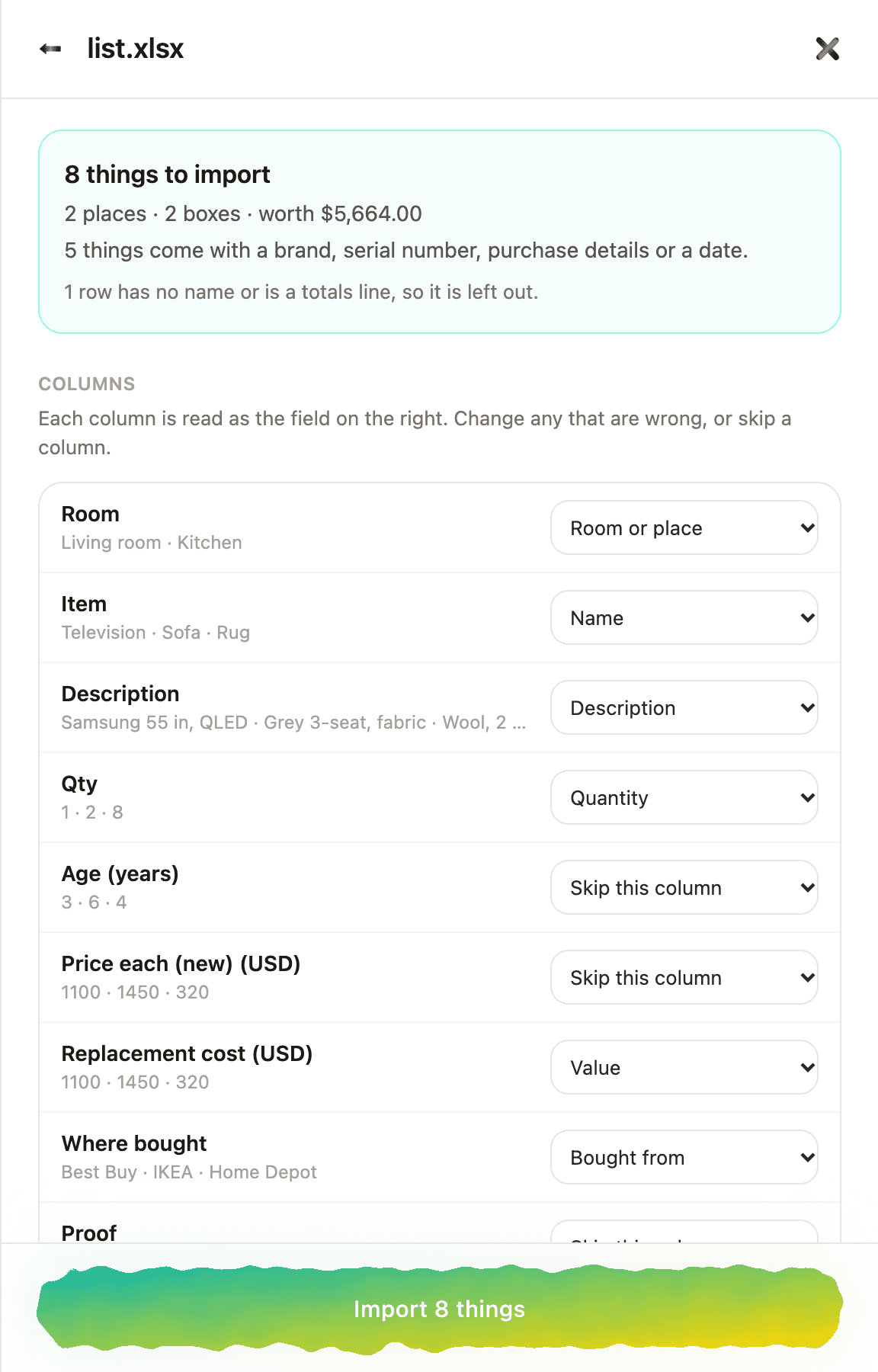
The Excel file opens in the web app's import, so the list becomes the start of your next home's inventory. The list stays in your browser, and what you type is not sent to us.