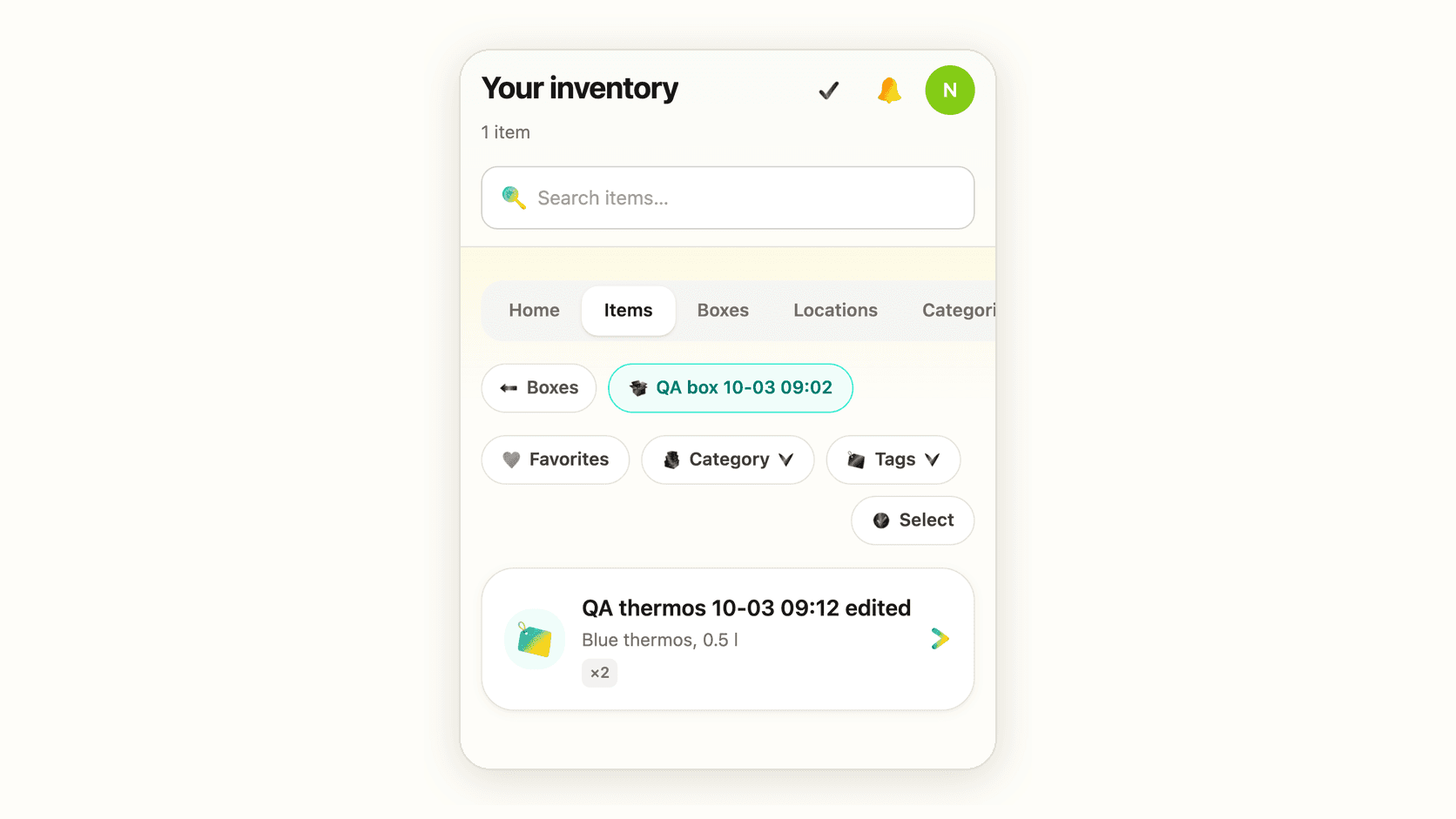
After a fire, a flood or a burglary, the insurer asks for a list of what you lost: what each thing was, where it was, what it was worth, and a photo if you have one. AllKeep already held all of that, but the only way to get it out was a short spreadsheet deep in Settings. Now the web app makes the list for you.
Everything in one list
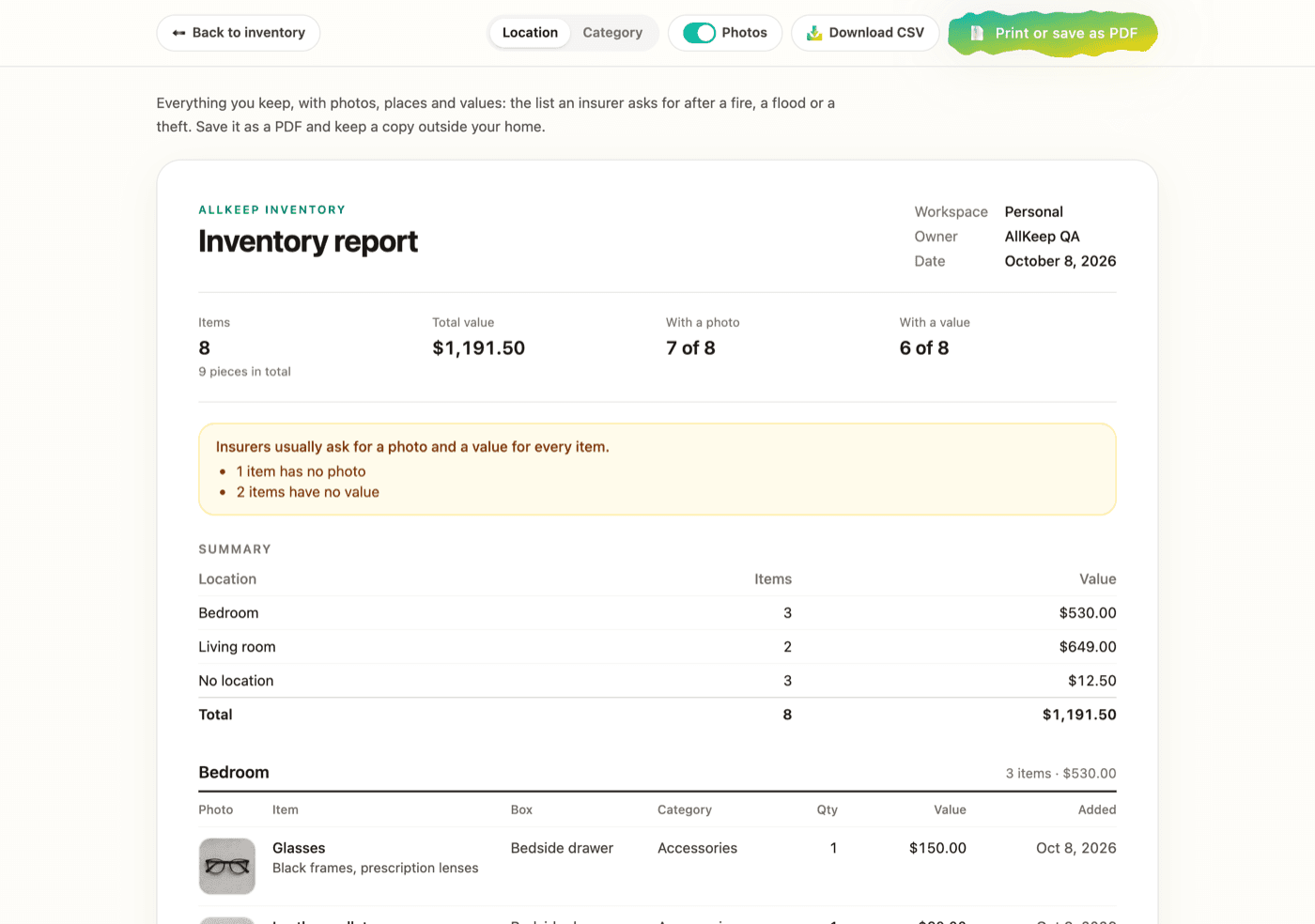
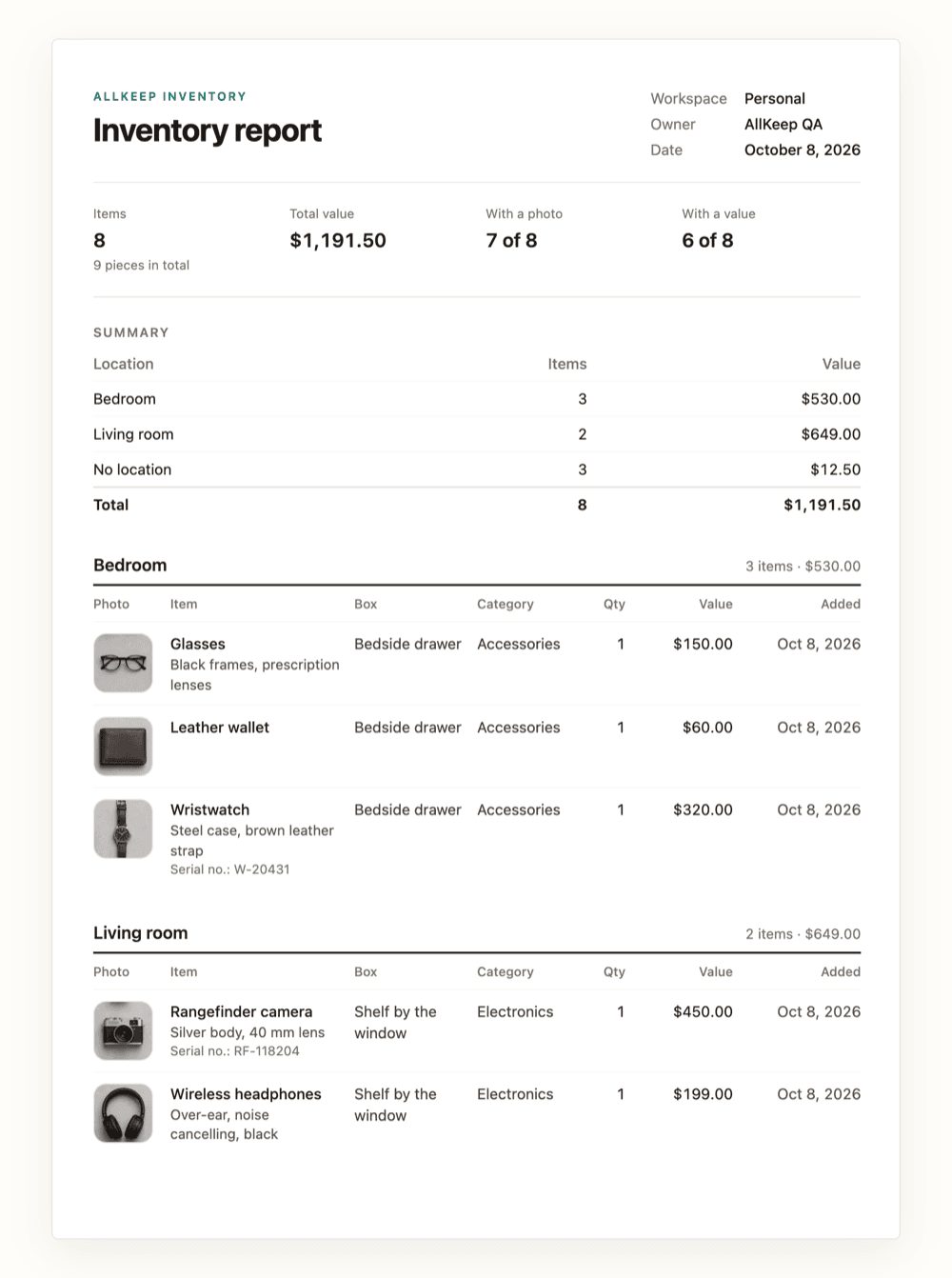
Open Items and press Export, or open the Inventory report card in Stats. The report shows every item with its photo, the room and box it is in, its category and its value. If you filled in the brand, model or serial number, those are there too. You can group the list by location or by category, and each group gets its own total.
At the top you see the total value and how many items have a photo and a value. Insurers usually want both for every item, so the report also tells you how many items are still missing one.
On paper, as a PDF or as a spreadsheet
Print or save as PDF turns the report into a plain document. The buttons and notes stay on the screen, and each item stays whole on one page. Keep a copy outside your home, or email it to yourself. Download CSV gives the same rows as a spreadsheet, with column names in your language and a link to every photo.
Item photos are back
While I was building the report, I found that the web app showed no item photos at all. Every item had a grey placeholder, in the list and in the item panel. The photos show again.

What adjusters ask for, and how to have it ready, is in an earlier post: Insurance documentation that actually pays out.