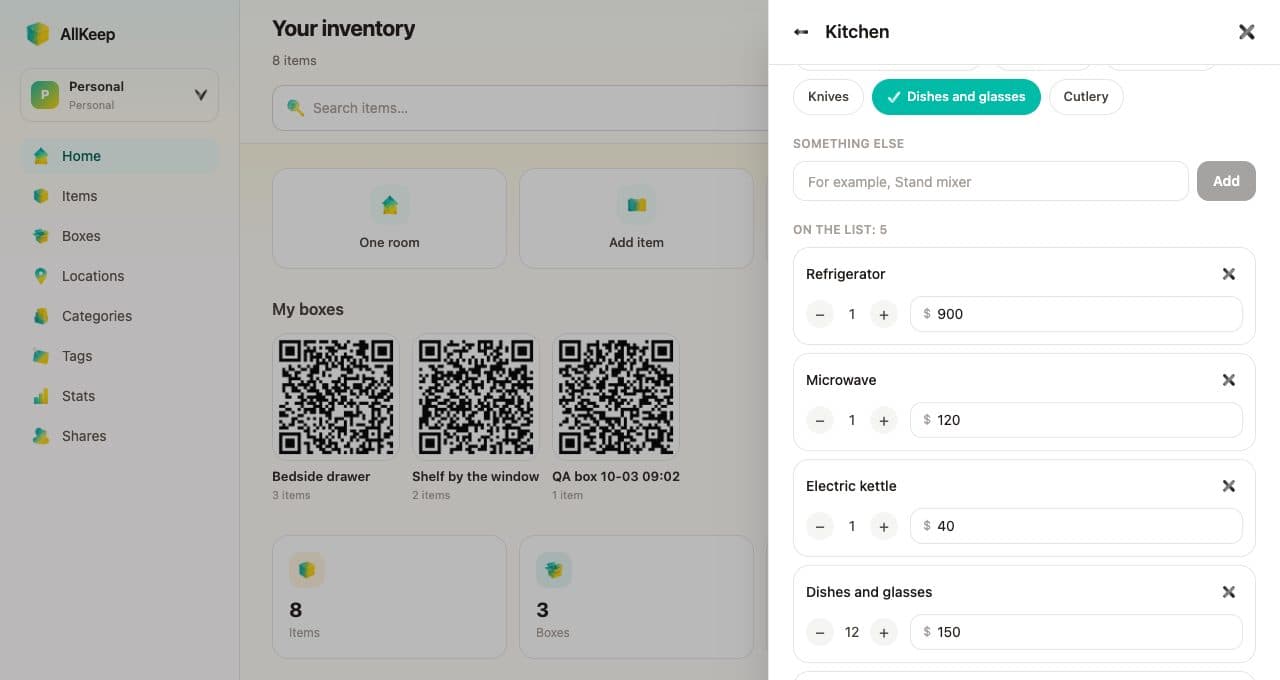
After a fire or a break-in, the insurer asks the same questions about each thing you lost: when you bought it, where, what you paid, what state it was in, and whether you still have the receipt. Until today the AllKeep Inventory web app kept only a value and photos for each item. Brand, model and serial number had fields, but only the AI could fill them in.
Now every item in the web app has insurance details.
Note it while you still have it
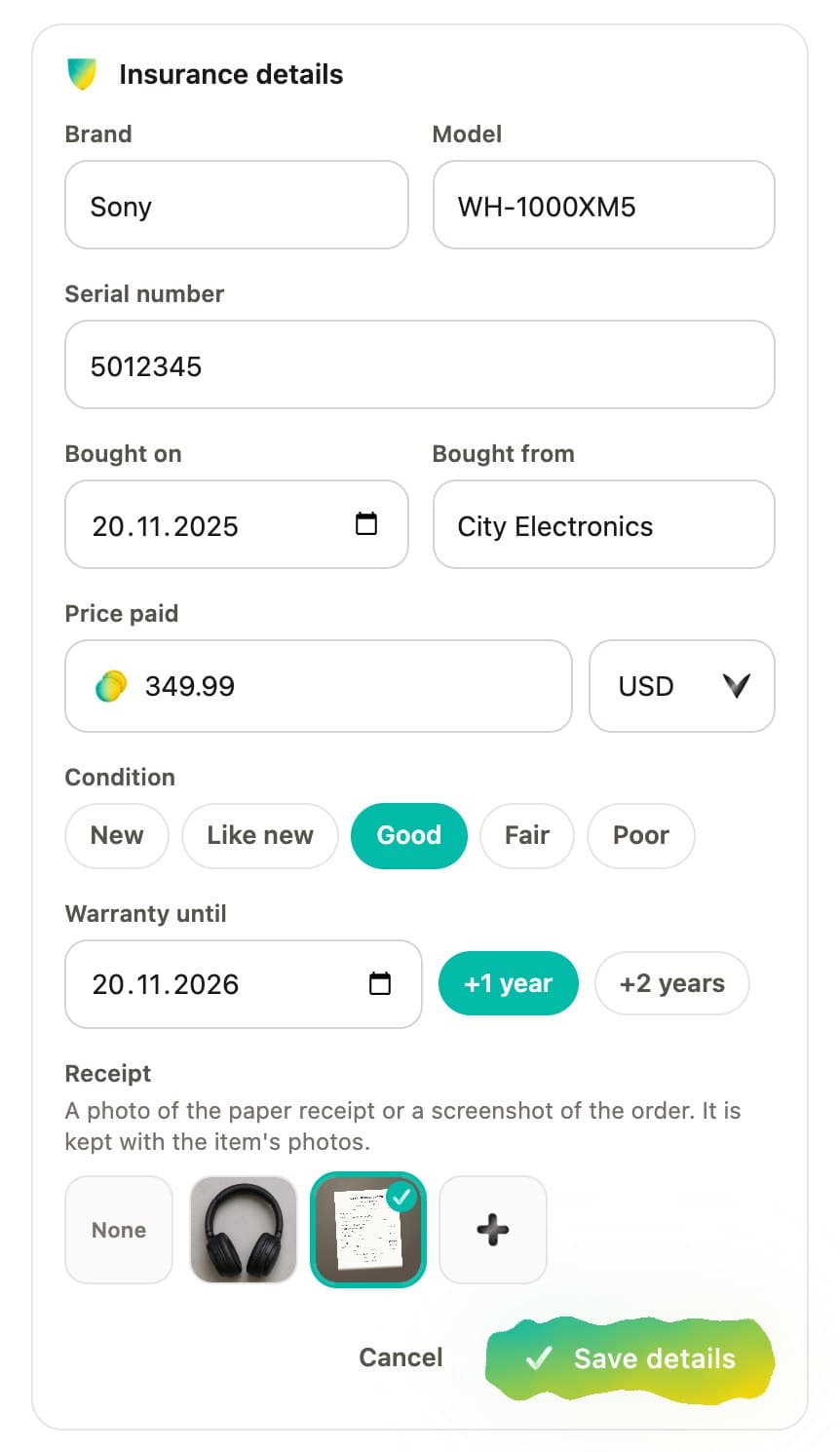
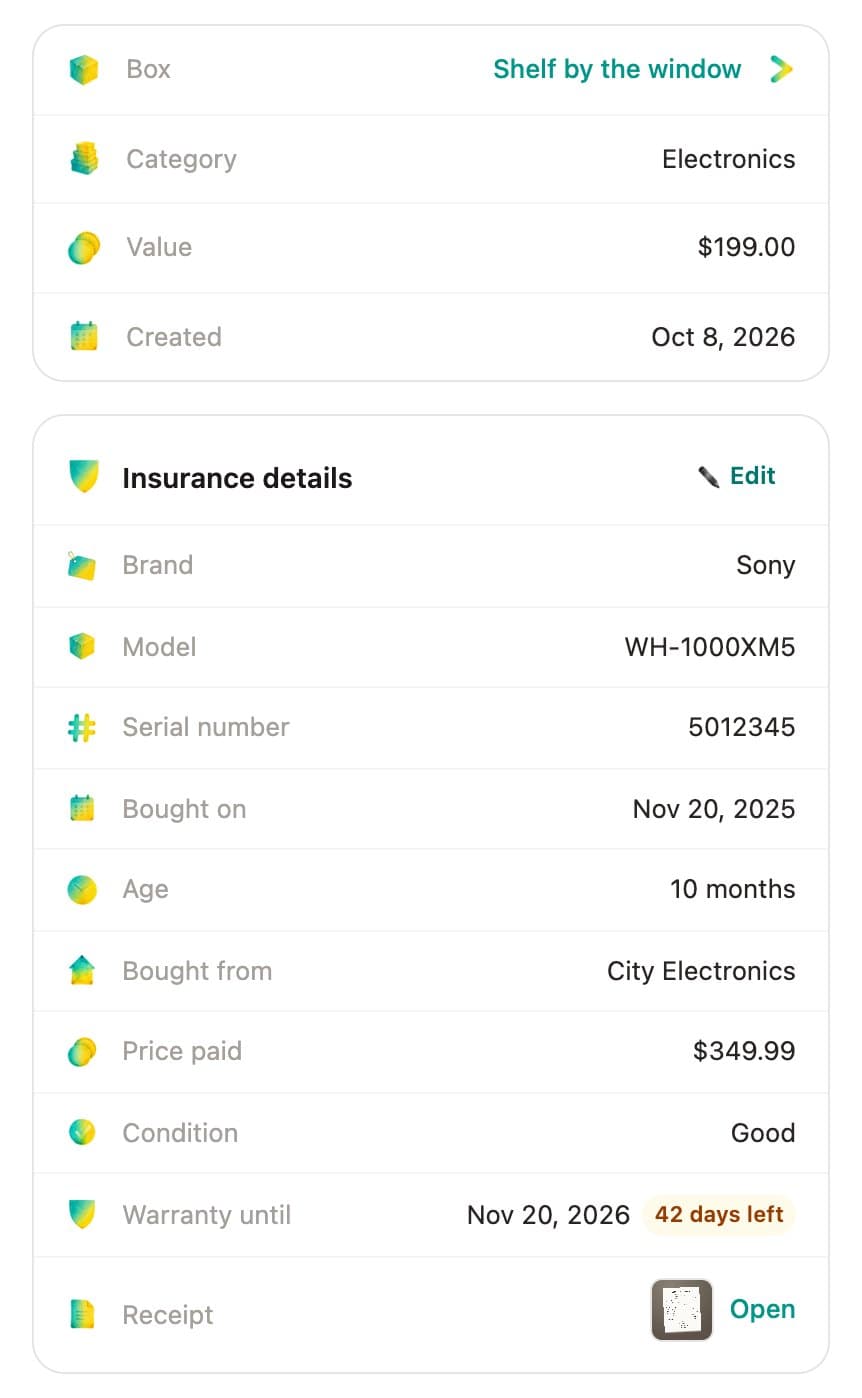
Open an item and press Add details. Type the brand, model and serial number, the day you bought it and the shop, the price you paid in any currency, and pick one of five conditions, from new to poor. For the warranty, type the end date or press +1 year or +2 years from the purchase date. The receipt is one of the item's photos: pick one you already took, or add a new one.
Its age and the warranty left
After saving, the card lists each detail and works out the item's age: my test headphones, bought on November 20, 2025, are 10 months old. The warranty shows as covered, then as the number of days left once fewer than 60 remain (42 on mine), then as ended.
On paper and in the spreadsheet
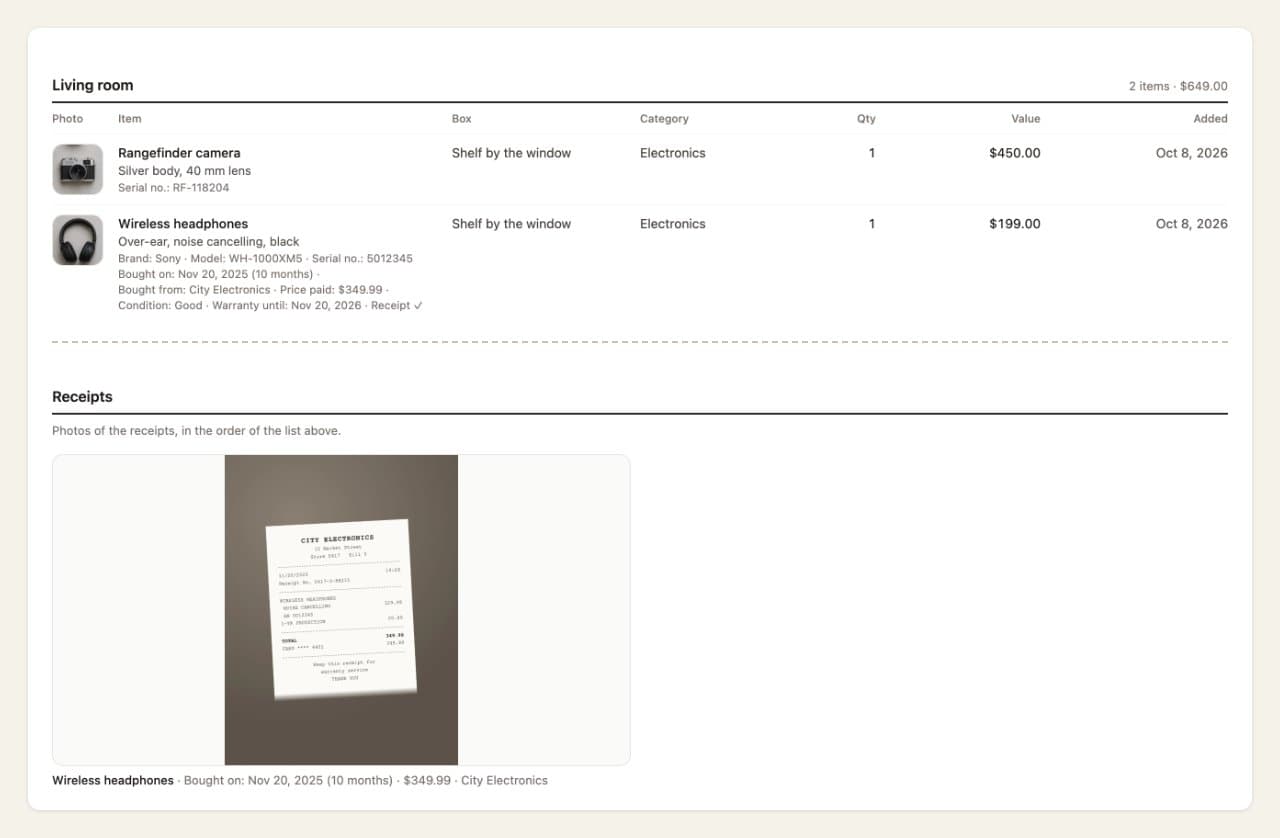
The report now prints these details under each item, counts the items that have a receipt, and puts the receipt photos after the list, so one PDF holds both. The CSV downloads, in the report and in Profile, get seven new columns.
What used to be called the price is now called the value, so it doesn't get mixed up with the price paid. On phones, some green buttons had turned white, with white text. They have their color back.