Many groups already keep their rota in Excel or Google Sheets: dates down the side, jobs along the top, names in the cells. Someone fills in the next weeks by hand, and people look for a way to make the sheet do it ("how to create a rolling rota in excel" was among Google's suggestions for "rota spreadsheet" when I looked on 5 November). Until now, moving such a rota to Turns meant typing everyone in again, and everyone started from nought, so whoever had done the bins five times was as likely to get them next as whoever had done them once.
Paste the table
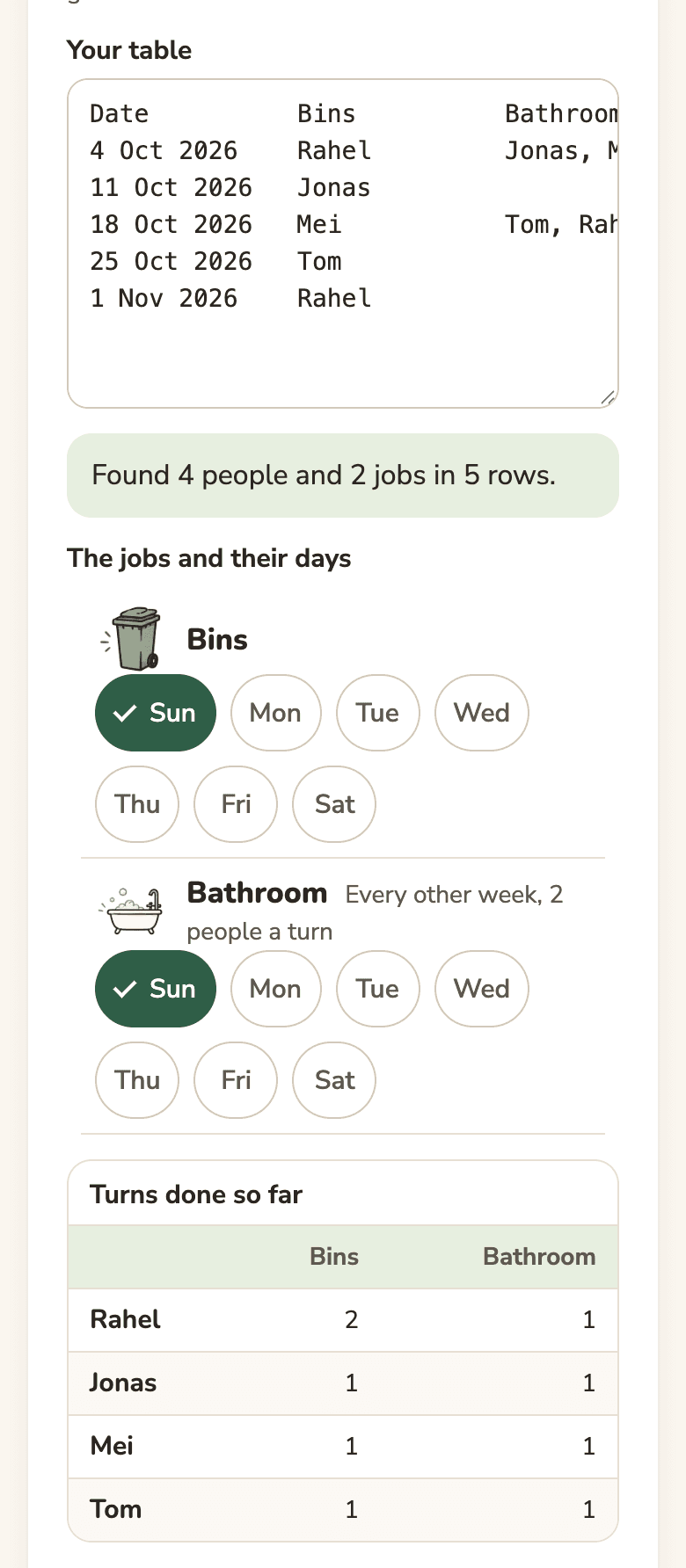
When you start your own rota, Turns now asks "Already keep the rota in Excel or Google Sheets?" and offers "Paste the table". Select the rota in your spreadsheet, copy it and paste it. Before anything is made, Turns shows what it read: how many people, jobs and rows, the day of each job, whether a job came every other week or took two people, and how many turns each person has done. If dates like 4/11 can be read either way, it says how it read them, and "Read them the other way" switches. Weekdays work as well as dates, and a table with the days along the top, as many Japanese duty charts have, is read turned round.
It goes on from the counts
The old dates don't go on the board. The rota starts today and everyone keeps their count from the table, so whoever has done a job fewest times goes next. Someone who never did a job in the table starts level with the fewest, not at nought. Rows dated after today are left out, and Turns says so.
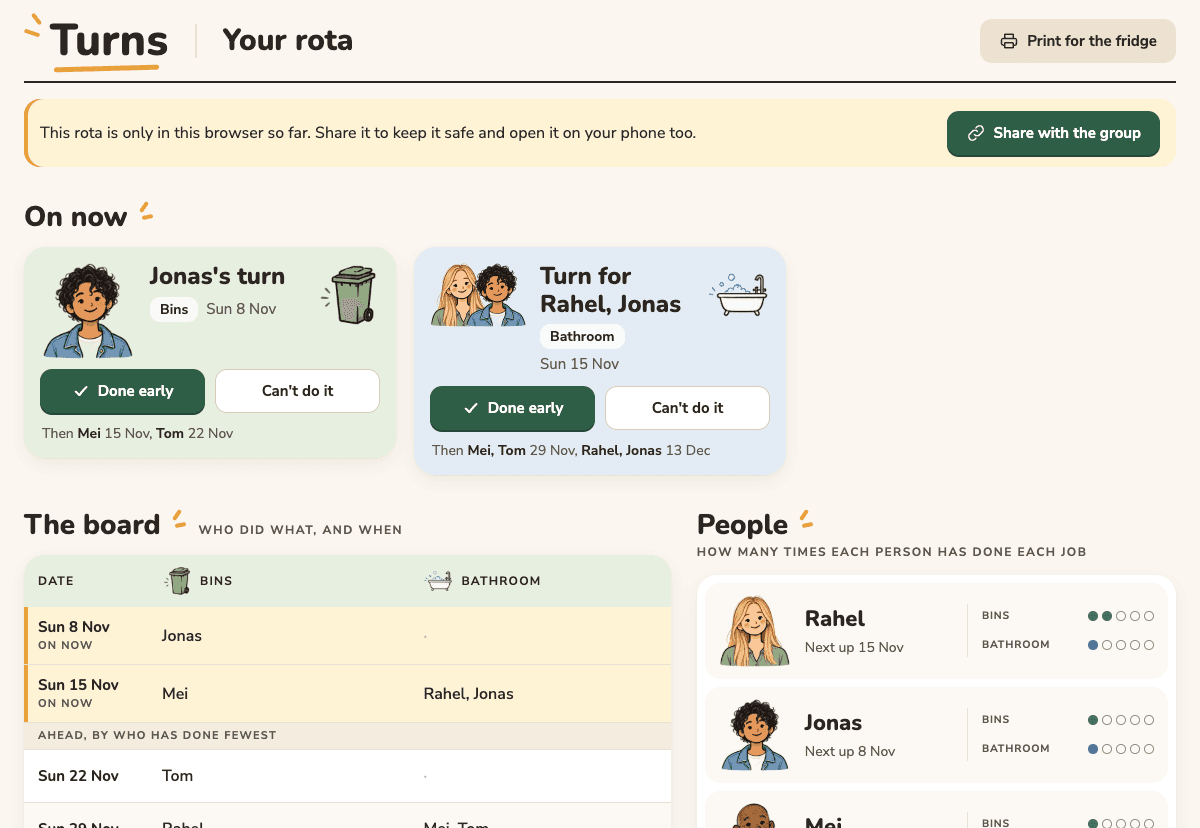
The rota stays in your browser until you share it. Once it is shared, the counts are kept with it, like the rest of the rota.
If your group has no table yet, there are ready-made rotas for six kinds of group: a shared house, a couple, three kids, a class, a team's families and an office kitchen. You type the names and can change anything after.