Every visa renewal, My Number card and JLPT application asks for a photo, and each office has its own size. Google's suggestions show what people get stuck on: "ảnh thẻ ngoại kiều size bao nhiêu", "pas foto jlpt ukuran berapa", "jlpt photo size converter". The answers are spread over PDFs. So I added an ID photo maker to Japan Life Hub, in its seven languages.
Fit your face to the rule
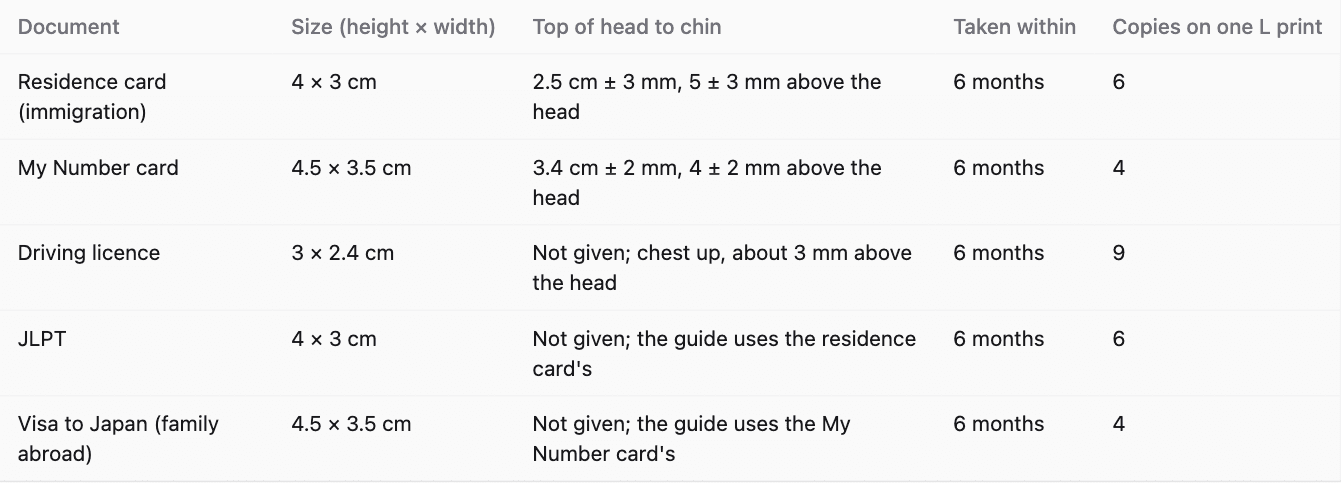
Choose the document and take or pick a photo. Two bands show where the top of your head and your chin must fall, at the sizes the office sets: for immigration 2.5 cm ± 3 mm from the top of the head to the chin on a 4 × 3 cm photo, for the My Number card 3.4 cm ± 2 mm on 4.5 × 3.5 cm. Drag the photo, zoom it and straighten it until it fits. The photo stays in your browser and is never uploaded.
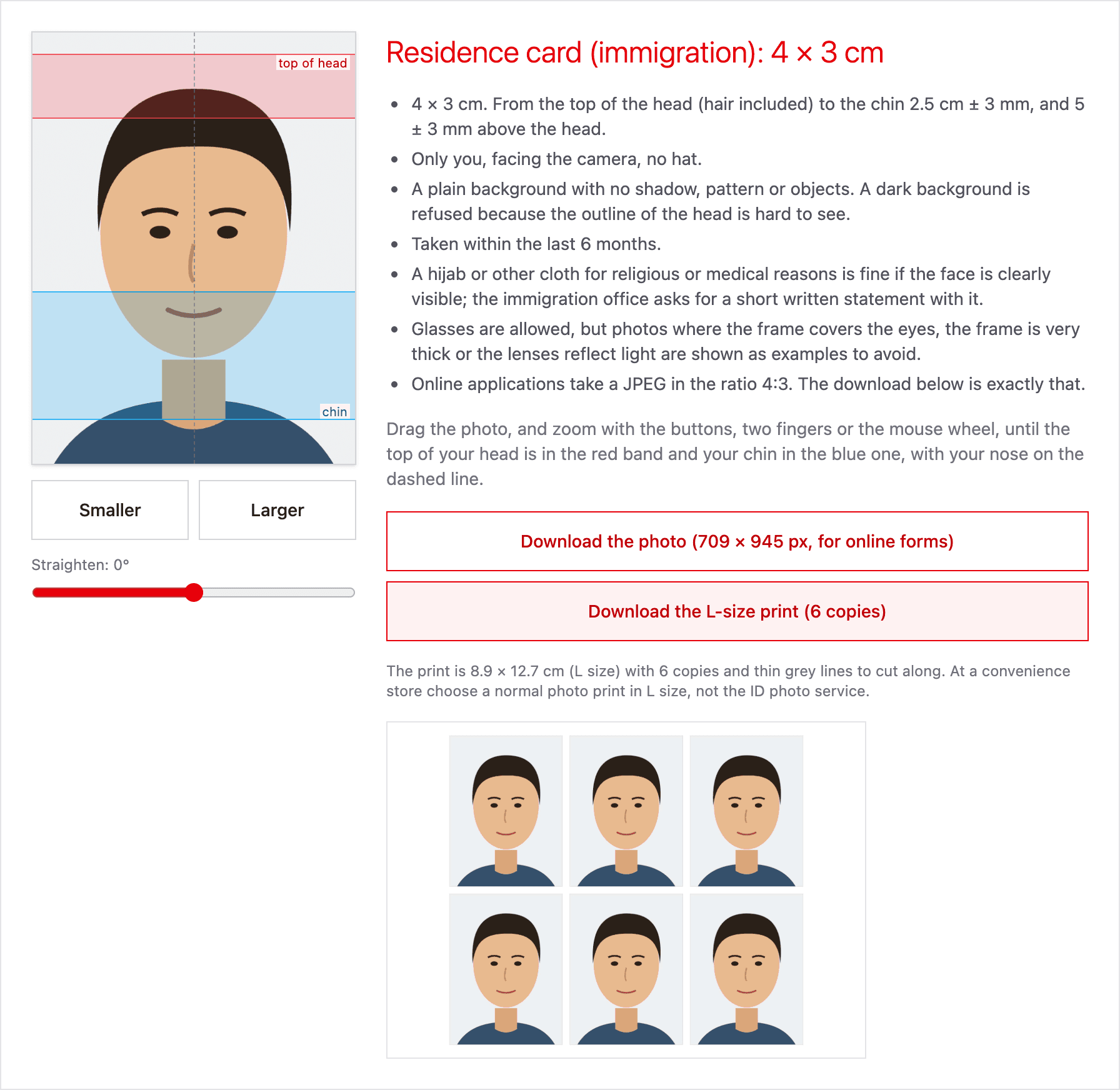
One print, six photos
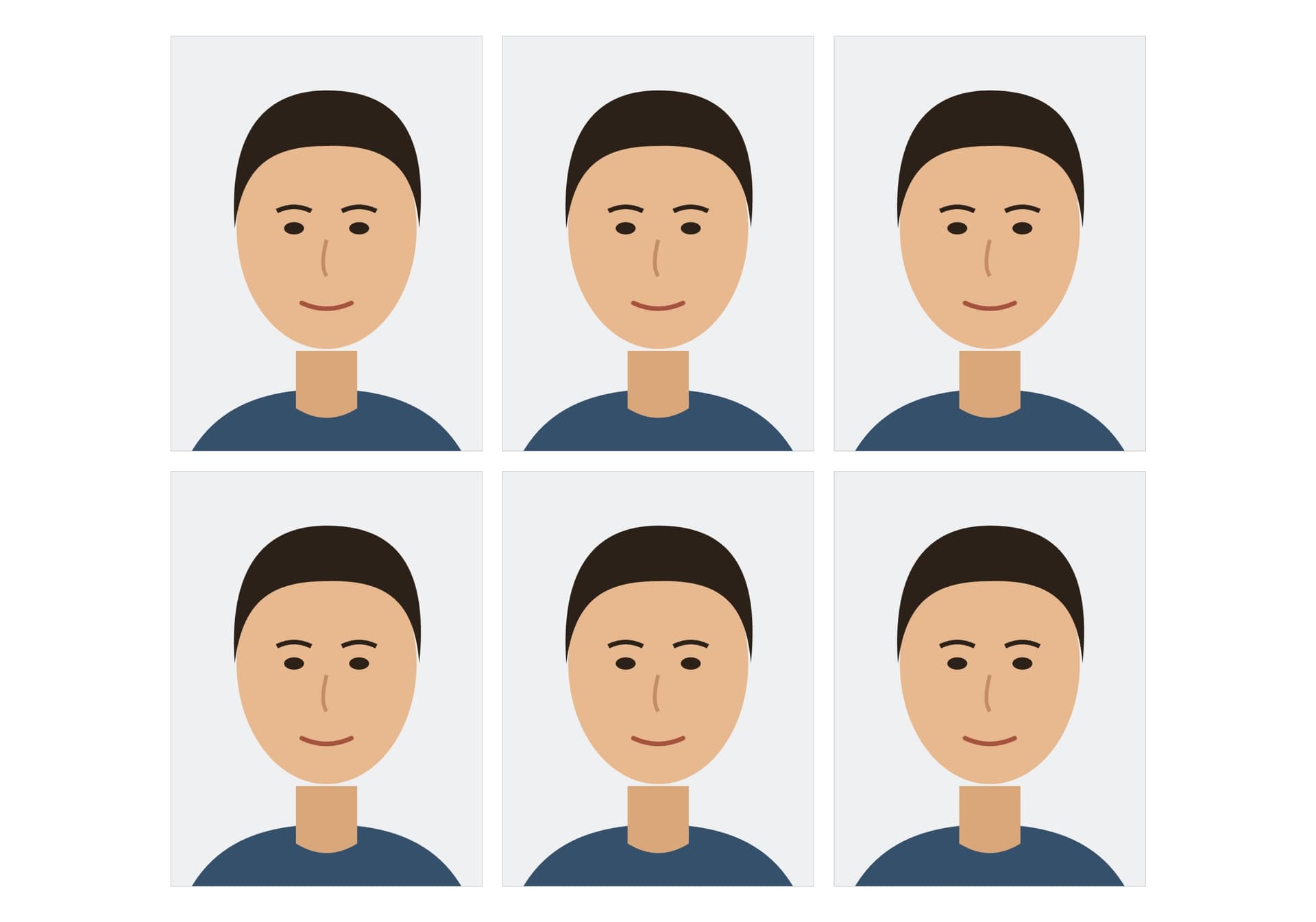
You can download two files. One is the photo alone, sized for online applications. The other is an L-size print with as many copies as fit, with grey lines to cut along: six residence card photos, four My Number photos or nine licence photos. A normal L print costs 30 yen at Lawson and FamilyMart and 40 yen at Seven-Eleven. The stores' own ID photo prints cost 200 to 250 yen.
Every document's rule
Under the tool is a table of each document's size, face size and how recent the photo must be. Below it I wrote down what the offices say about hijab and glasses and about files for online applications, each linked to the page I read it on.