I wanted Godot to write screenshots and short videos from a script on my Mac, the way it does in CI on Linux. Godot 4.7.1 on macOS 26.5.2 can't do it in --headless, but it can with the real renderer and the window off the screen. One thing I haven't solved: the app still comes to the front while it runs.
Everything below ran on a 640 × 360 test project with one script:
extends Node2D

# Saves the 30th frame to the path given after "--" and quits.
var frames := 0

func _process(_delta: float) -> void:
	$Box.position.x = 80.0 + frames * 4.0
	frames += 1
	var args := OS.get_cmdline_user_args()
	if frames == 30 and args.size() > 0:
		await RenderingServer.frame_post_draw
		get_viewport().get_texture().get_image().save_png(args[0])
		get_tree().quit()
What --headless does with a capture
Godot.app/Contents/MacOS/Godot --headless --path . -- "$PWD/out.png"The script reached frame 30 and then waited at await RenderingServer.frame_post_draw for good: the process was still running 15 seconds later, and nothing was saved. Reading the texture without the await fails at once:
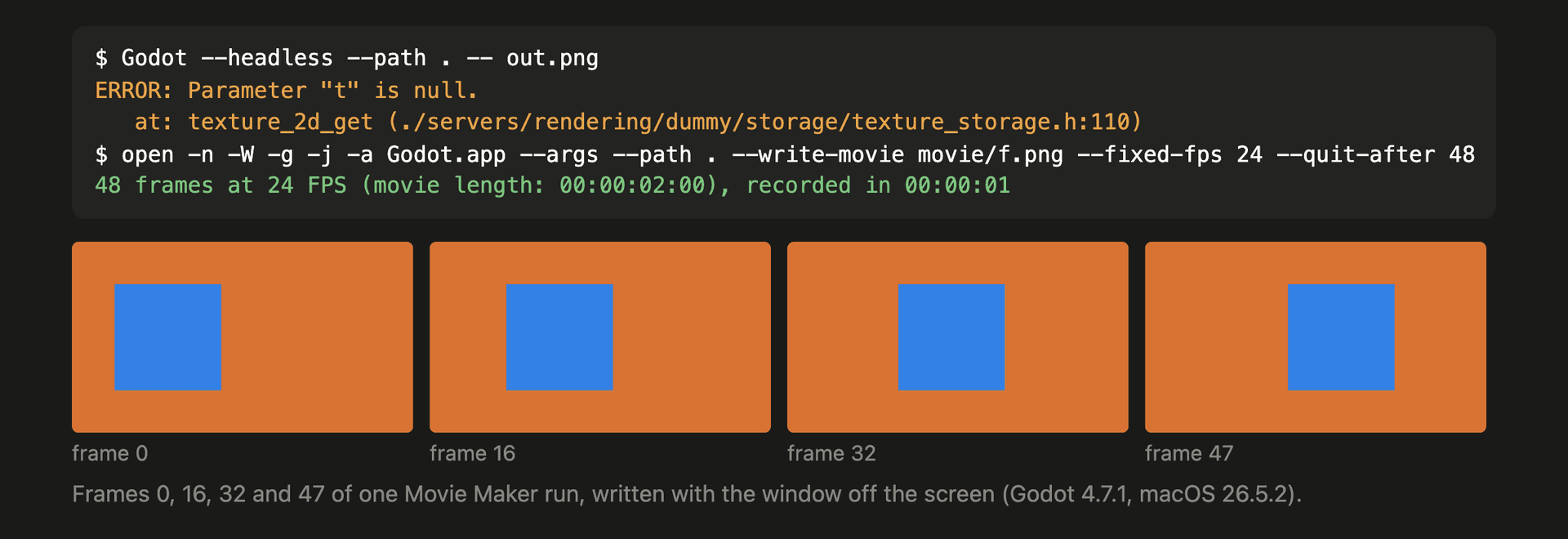
ERROR: Parameter "t" is null.
   at: texture_2d_get (./servers/rendering/dummy/storage/texture_storage.h:110)
In --headless Godot runs a dummy renderer, so the viewport has no texture to read; the path in the error is the dummy renderer's texture storage. On Linux the usual way round is a virtual X display under a real renderer. Godot's macOS build draws through the macOS window server and Metal, so that trick doesn't carry over.
Render for real, off the screen
Keep the real renderer and keep the window out of the way. Window settings take effect when the window is created, before any script runs, so they go in an override.cfg next to project.godot for the length of the run:
[display]

window/size/no_focus=true
window/size/initial_position_type=0
window/size/initial_position=Vector2i(-6000, -6000)
window/size/always_on_top=false
Then start the app through open:
open -n -W -g -j -a Godot.app --stdout run.log --stderr run.log \
  --args --path "$PWD" -- "$PWD/out.png"
rm override.cfg
-n starts a new instance even if Godot is already open, -W waits until it quits, -g keeps it in the background, -j launches it hidden, and --stdout and --stderr bring its output back to a file. Without them open drops the output, because Godot isn't a child process of your shell. The frame came back at 640 × 360 in the scene's own colours: a mean RGB of 188, 117, 82, the orange background with the blue box on it.
Delete override.cfg when the run ends. Godot reads it on every launch, so a run interrupted before the rm leaves the next normal launch with a window that never gets keyboard focus.
Movie Maker: a PNG sequence, then an MP4
Movie Maker renders every frame at a fixed rate, so the video's timing doesn't depend on how fast the machine renders:
open -n -W -g -j -a Godot.app --stdout run.log --stderr run.log \
  --args --path "$PWD" --write-movie "$PWD/movie/f.png" --fixed-fps 24 --quit-after 48
48 frames at 24 FPS (movie length: 00:00:02:00), recorded in 00:00:01 (200% of real-time speed).It wrote f00000000.png to f00000047.png, with the audio next to them as f.wav. ffmpeg turns the frames into a video:
ffmpeg -framerate 24 -i movie/f%08d.png -c:v libx264 -pix_fmt yuv420p -crf 18 film.mp4The result was 48 frames at 24 fps, 2.0 seconds long.
Not solved: focus
no_focus keeps the window from taking keyboard focus, but Godot still makes itself the active app when it opens its window. I polled the frontmost app during two runs. Godot was in front in 1 of 21 samples during the single-frame run and in 4 samples in a row during the Movie Maker run, which took about a second, and the app I was working in came back to the front each time Godot quit. In September a copy of the app bundle with LSUIElement set to true didn't help either. How long Godot stays in front during a longer recording, I haven't measured.
Limits
- Godot 4.7.1 on macOS 26.5.2, one Mac, the Forward+ renderer. I didn't try the Compatibility renderer.
- The off-screen position was tested with one display.