Build a Chrome Extension with React, TypeScript and Vite
Step-by-step guide to building and publishing a Chrome extension using React 18, TypeScript, Vite, and Manifest V3.
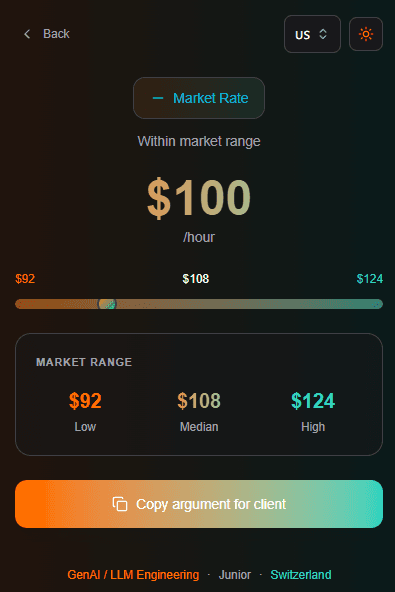
This article walks through building a Chrome extension from scratch using React, TypeScript and Vite. We'll build a Freelance Rate Calculator that helps developers check their market rate.
This article includes:
- Setup React + Vite + TypeScript project for Chrome Extension
- Configure manifest.json for Manifest V3
- Build calculator UI with Tailwind CSS
- Load and test extension locally
- Submit to Chrome Web Store
Setup Project
Create new Vite project with React and TypeScript:
npm create vite@latest rate-calculator -- --template react-ts
cd rate-calculator
npm install
Add Tailwind CSS:
npm install -D tailwindcss postcss autoprefixer
npx tailwindcss init -p
Configure tailwind.config.js:
/** @type {import('tailwindcss').Config} */
export default {
  content: ["./index.html", "./src/**/*.{js,ts,jsx,tsx}"],
  theme: {
    extend: {},
  },
  plugins: [],
};
Add Tailwind directives to src/index.css:
@tailwind base;
@tailwind components;
@tailwind utilities;
Add Lucide icons:
npm install lucide-reactAdd Manifest V3
Create public/manifest.json:
{
  "manifest_version": 3,
  "name": "Freelance Rate Calculator",
  "version": "1.0.0",
  "description": "Calculate your freelance rate based on tech stack, experience, and location",
  "action": {
    "default_popup": "index.html",
    "default_icon": {
      "16": "icons/icon16.png",
      "48": "icons/icon48.png",
      "128": "icons/icon128.png"
    }
  },
  "icons": {
    "16": "icons/icon16.png",
    "48": "icons/icon48.png",
    "128": "icons/icon128.png"
  }
}
Create public/icons/ folder and add extension icons in 16x16, 48x48, and 128x128 sizes.
Add Rate Data
Create src/data/rates.ts with tech stacks, experience levels, and locations:
export interface TechStack {
  id: string;
  name: string;
  baseRate: number;
  demand: "high" | "medium" | "low";
}

export interface ExperienceLevel {
  id: string;
  name: string;
  years: string;
  multiplier: number;
}

export interface Location {
  id: string;
  name: string;
  multiplier: number;
}

export const techStacks: TechStack[] = [
  { id: "genai", name: "GenAI / LLM", baseRate: 175, demand: "high" },
  { id: "rust", name: "Rust", baseRate: 135, demand: "high" },
  { id: "react", name: "React", baseRate: 90, demand: "high" },
  { id: "typescript", name: "TypeScript", baseRate: 92, demand: "high" },
  { id: "nodejs", name: "Node.js", baseRate: 85, demand: "high" },
  { id: "python", name: "Python", baseRate: 90, demand: "high" },
  // add more stacks...
];

export const experienceLevels: ExperienceLevel[] = [
  { id: "junior", name: "Junior", years: "0-2 years", multiplier: 0.55 },
  { id: "mid", name: "Mid-level", years: "3-5 years", multiplier: 1.0 },
  { id: "senior", name: "Senior", years: "5-8 years", multiplier: 1.45 },
  { id: "lead", name: "Lead / Architect", years: "8+ years", multiplier: 1.85 },
];

export const locations: Location[] = [
  { id: "usa", name: "United States", multiplier: 1.0 },
  { id: "uk", name: "United Kingdom", multiplier: 0.85 },
  { id: "germany", name: "Germany", multiplier: 0.82 },
  { id: "japan", name: "Japan", multiplier: 0.62 },
  { id: "india", name: "India", multiplier: 0.32 },
  // add more countries...
];
Rate calculation formula:
const getMarketRate = (
  stack: TechStack,
  exp: ExperienceLevel,
  loc: Location
) => {
  const base = stack.baseRate * exp.multiplier * loc.multiplier;
  return {
    low: Math.round(base * 0.85),
    mid: Math.round(base),
    high: Math.round(base * 1.15),
  };
};
Example: Senior React developer in Germany = 90 * 1.45 * 0.82 = $107/hr
Build Calculator UI
Update src/App.tsx with calculator form:
import { useState } from "react";
import { techStacks, experienceLevels, locations } from "./data/rates";
import type { TechStack, ExperienceLevel, Location } from "./data/rates";

function App() {
  const [stack, setStack] = useState<TechStack | null>(null);
  const [experience, setExperience] = useState<ExperienceLevel | null>(null);
  const [location, setLocation] = useState<Location | null>(null);
  const [myRate, setMyRate] = useState("");
  const [showResult, setShowResult] = useState(false);

  const getMarketRate = () => {
    if (!stack || !experience || !location) return null;
    const base = stack.baseRate * experience.multiplier * location.multiplier;
    return {
      low: Math.round(base * 0.85),
      mid: Math.round(base),
      high: Math.round(base * 1.15),
    };
  };

  const handleCheck = () => {
    if (stack && experience && location && myRate) {
      setShowResult(true);
    }
  };

  // render form or results based on showResult state
  return (
    <div className="w-[400px] h-[600px] p-4 bg-gray-900 text-white">
      {/* form inputs and results */}
    </div>
  );
}

export default App;
Set fixed popup dimensions in src/index.css:
body {
  width: 400px;
  height: 600px;
  margin: 0;
  overflow: hidden;
}
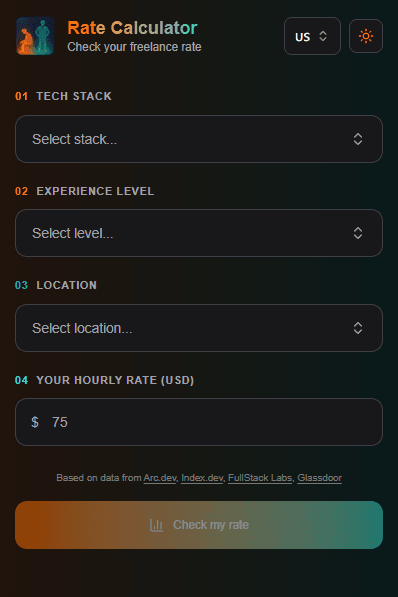
Input form with dropdowns for stack, experience, location:
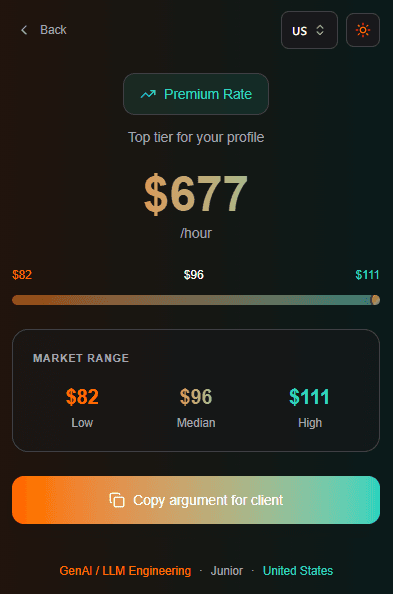
Results screen showing market rate comparison:
Build Extension
Update vite.config.ts for extension build:
import { defineConfig } from "vite";
import react from "@vitejs/plugin-react";

export default defineConfig({
  plugins: [react()],
  build: {
    outDir: "dist",
    rollupOptions: {
      input: "index.html",
    },
  },
});
Build the extension:
npm run buildThis creates dist/ folder with your extension files.
Load Extension Locally
Open Chrome and navigate to chrome://extensions. Enable "Developer mode" in top right corner.
Click "Load unpacked" and select the dist/ folder.
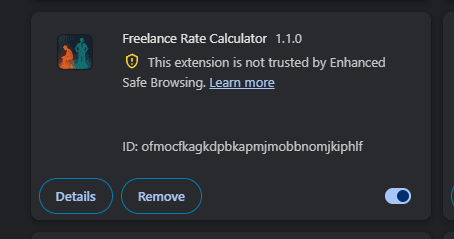
Click the extension icon in toolbar to test the popup.
Submit to Chrome Web Store
Go to Chrome Web Store Developer Dashboard.
First time requires $5 one-time developer fee.
Prepare assets:
- Extension icon: 128x128 PNG
- Screenshot: 1280x800 or 640x400
- Promotional tile: 440x280
Create ZIP of your dist/ folder:
cd dist && zip -r ../extension.zip . && cd ..Upload ZIP, fill in description, add screenshots, submit for review.
Review takes 1-3 days. Common rejection reasons:
- Keyword stuffing in description
- Missing privacy policy (if using permissions)
- Incorrect screenshots
After approval:
Conclusion
That's all. We built a Chrome extension with React, TypeScript and Vite, tested it locally, and published to Chrome Web Store.
Final stack:
- React 18
- TypeScript
- Vite
- Tailwind CSS
- Manifest V3
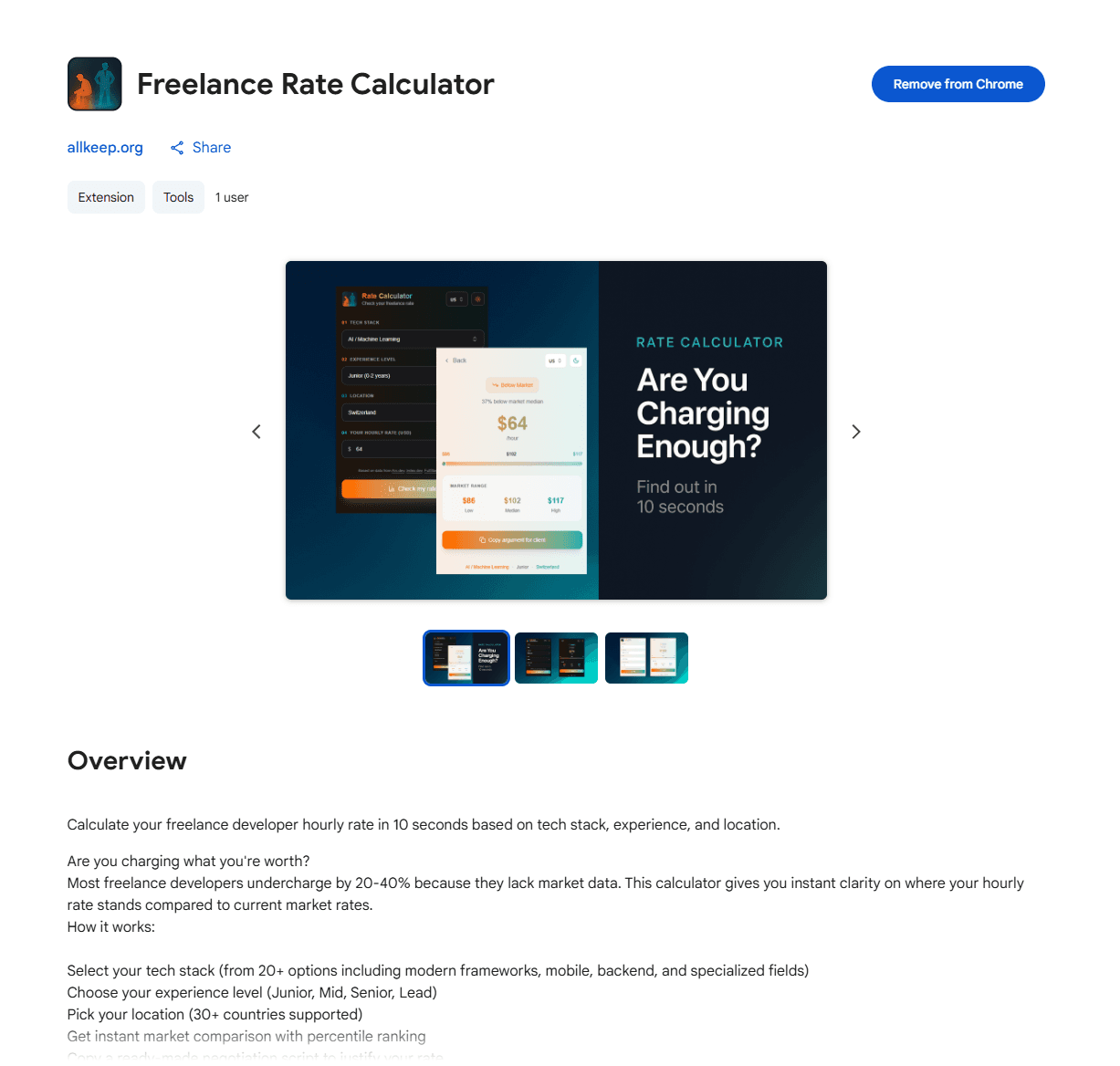
Live extension: Freelance Rate Calculator
If you liked the article, follow me on Twitter @Nefayran for more #buildinpublic content.